

Your model, your machine, your rules.
You choose the recipe, when it trains and which version Orbi uses. Nothing changes without your click, and every change is logged.
Reservations coming soonNo published price
For families, for people who code and for anyone who wants their own cloud: up to three servers, local AI and your backups, in a handmade pearl-white case.
Product proposal · conceptual images. Reservations not yet open.
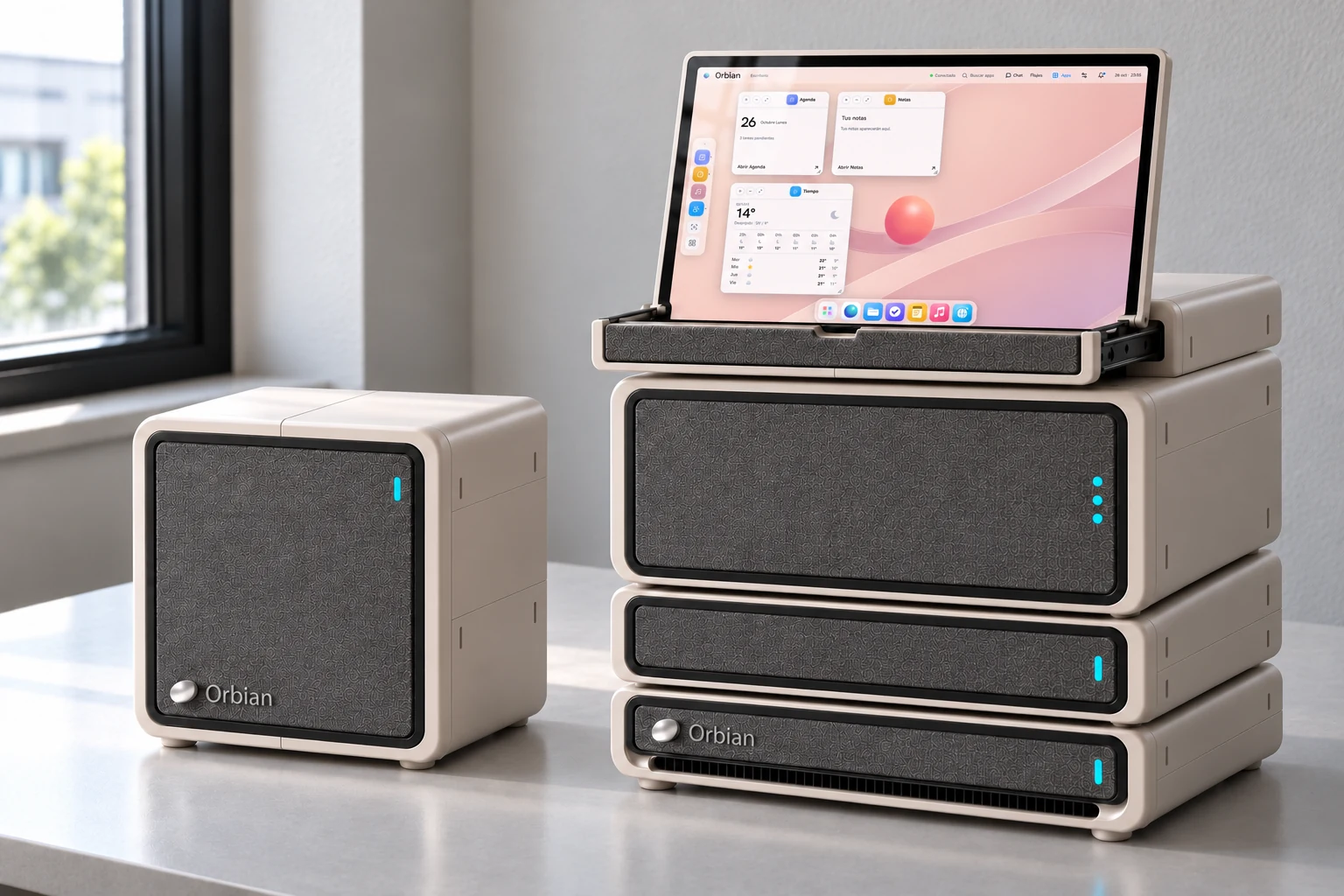
Orbian Server Home is where your Orbian lives: your apps, your files, your photos and your backups, on your network. Open it from the browser, the Orbian app or its removable screen. Your phone, your computer and your tablet are windows onto the same system.
With local models, what Orbi processes stays on your network. If you use a cloud model (through OpenRouter) or connect your email or other clouds, those features rely on their providers and Orbian tells you first what leaves. And Orbi always asks your permission before sending, paying or deleting.
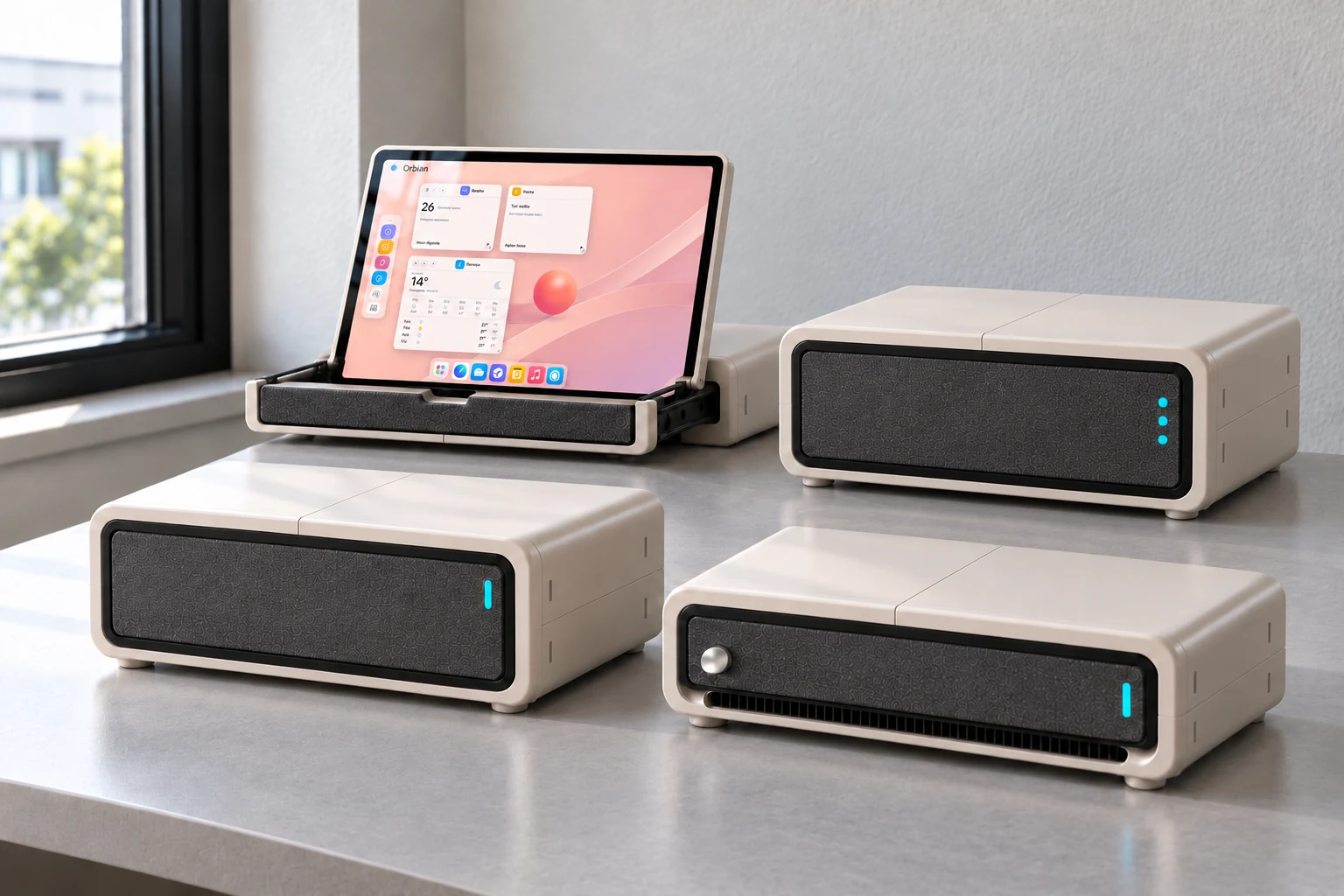
On FUEGO, Orbi works with local models: Orbi 1.1, built on Gemma 4. FUEGO is a complete computer for AI, with its own processor, memory, GPU, power supply and cooling, linked to the rest of the server over the network.
Which model fits depends on its size, the context, the quantisation and how many people use it at once. We test it with your final configuration: we don’t publish performance figures without testing. FUEGO’s VRAM doesn’t add to the RAM of the other servers.
Meet OrbiWith Forja, your server doesn’t just run your AI: it helps it grow. You prepare a new version of your Orbi, it trains overnight on FUEGO, it’s tested against the one you already use, and it only starts working with you when you click.
You see the synthetic data and its fingerprint before you start, and a short pilot tells you whether the recipe is working.
Full training is scheduled overnight, when it won’t get in the way. Follow it live and stop it whenever you like.
Measured per app, on privacy and on risk. If it gets worse on privacy or risk, it doesn’t pass.
Red card: never by voice, never on its own. If something gets worse, you’re back on the previous version in a moment.
Get the most out of your server with Forja.
You choose the recipe, when it trains and which version Orbi uses. Nothing changes without your click, and every change is logged.
On your server, isolated in an unprivileged user and only with synthetic data: never with your conversations or your memory. Nobody but you sees a candidate.
No new version works with you without passing its test against the Orbi you already use. No pass, no promotion.
Forja needs FUEGO (or a machine with a GPU). Your Orbi models start from Gemma 4 and run locally; Forja fine-tunes them, it doesn’t create a model from scratch. It can also prepare a training run on a GPU cloud, which never starts on its own: only with your OK. What a version improves is shown by its test: we don’t publish performance figures.
Orbian’s Backups app follows the 3-2-1 rule: three copies, on two different media, with one off-site. They’re encrypted on your machine (AES-256-GCM) before they leave, and every month it checks they can be restored.
The original on your server, another on a second drive and another on LUNAR, the offline drive.
On your serverThe server’s SSDs or the mirrored data module, and an external drive of 4 to 24 TB that you can rotate.
Data module + LUNARSo a burglary, a fire or a flood can’t take everything. Turn it on whenever you like.
Not active yetThe off-site copy isn’t active in Backups yet, and photos in Photos (Immich) aren’t included in these backups yet. Drive mirroring protects against one drive failing; it isn’t a substitute for a backup. Backups
One case holds up to three complete computers, each with its own platform, RAM and SSD. Alongside them, FUEGO for AI and whatever modules you need. The roles are a starting point: you decide how to share out the work.
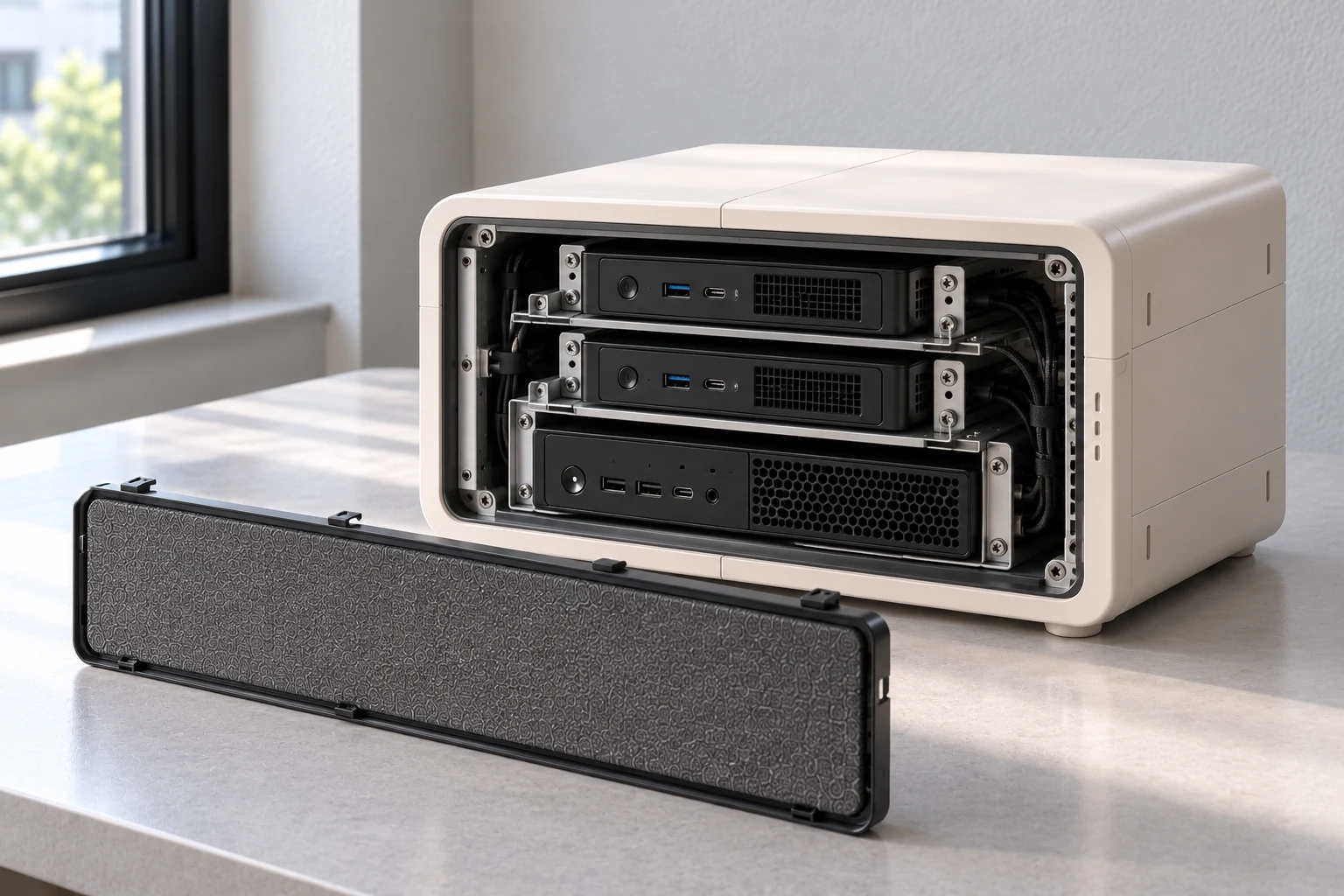
Orbian, your apps and your personal services.
Repositories, development environments and automations.
Files, libraries and storage-backed services.
Local models, transcription and testing, with its own GPU.
NVMe drives managed by the server you choose.
External drive with rotation and a restore guide.
Removable, with Orbian OS. It doesn’t add another computer.
Power protection and an optional UPS for the whole system.
The physical reference combines two Intel NUCs and a Lenovo Tiny; the reference cluster measures 400 × 285 × 210 mm. Three servers aren’t automatic high availability, and the RAM of several nodes doesn’t form a single memory.
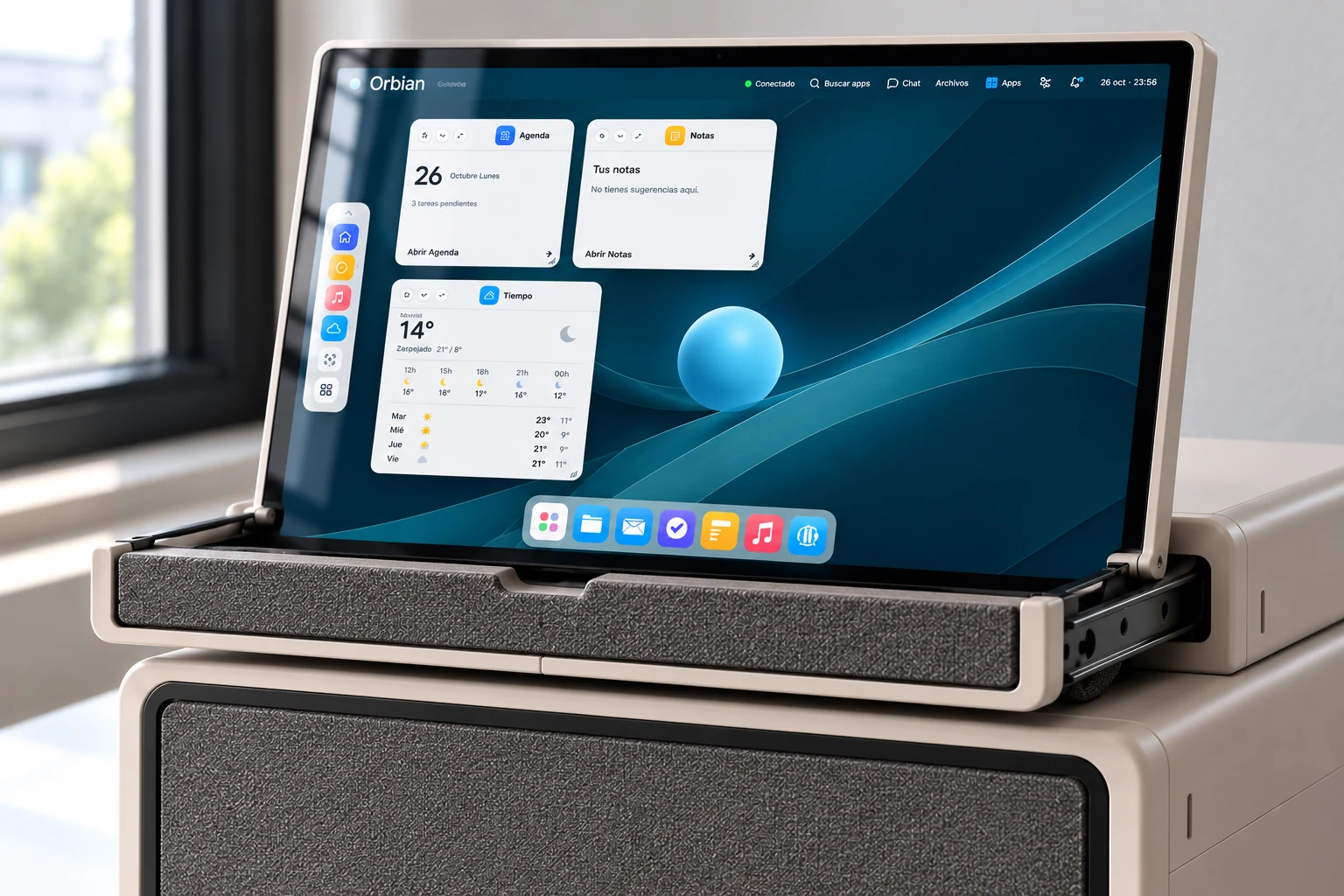
A removable module for using Orbian without hunting for another monitor. Choose 13 or 17 inches, touch or not, and your desktop’s look: coral, mint or night.
AMOLED panel and mechanism proposed, subject to validation.
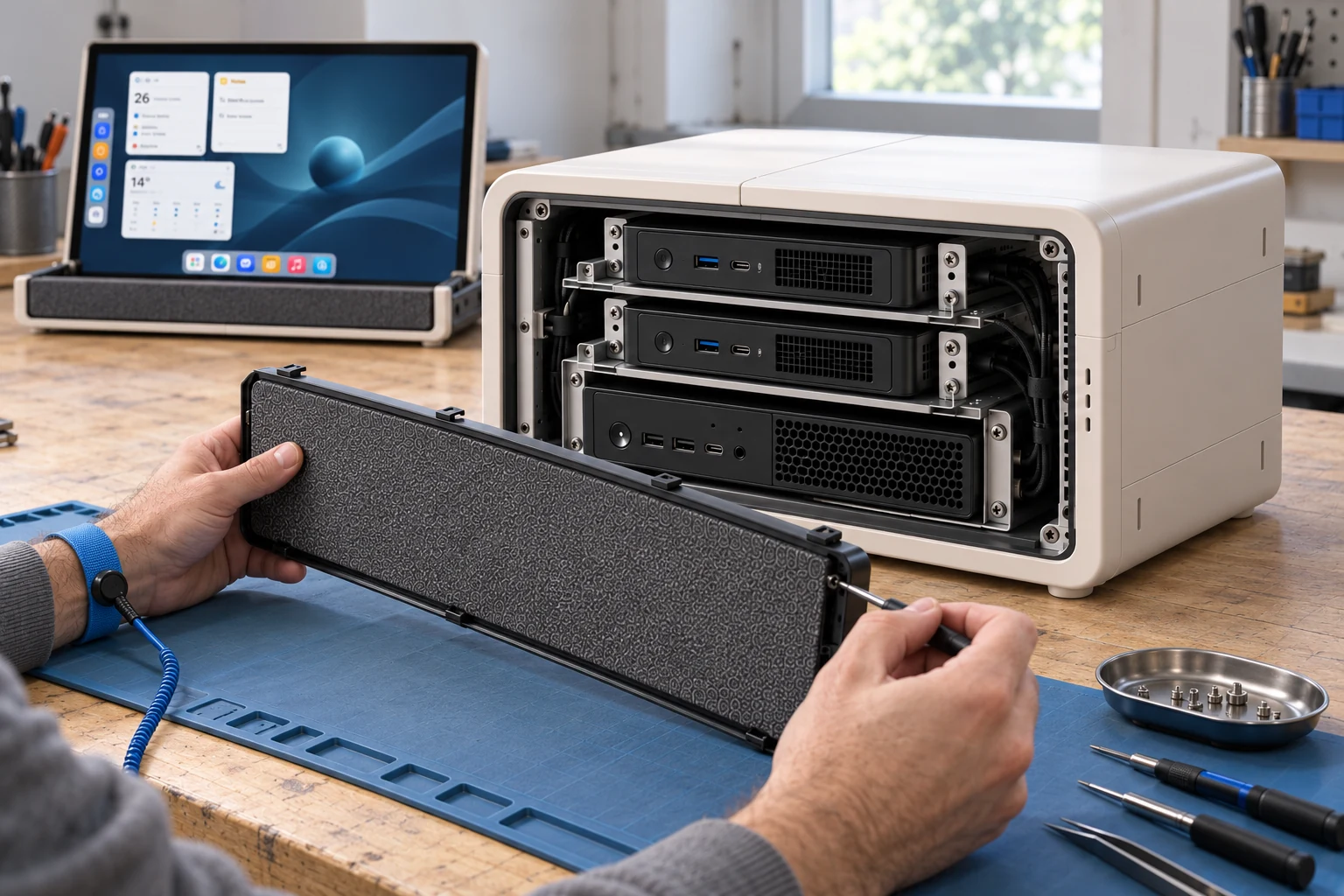
Pearl white, rounded edges and a fine texture that is part of the material.
Grey fabric stretched over a removable frame for access to the inside.
Brass inserts and labelled parts so it can be serviced and parts replaced.
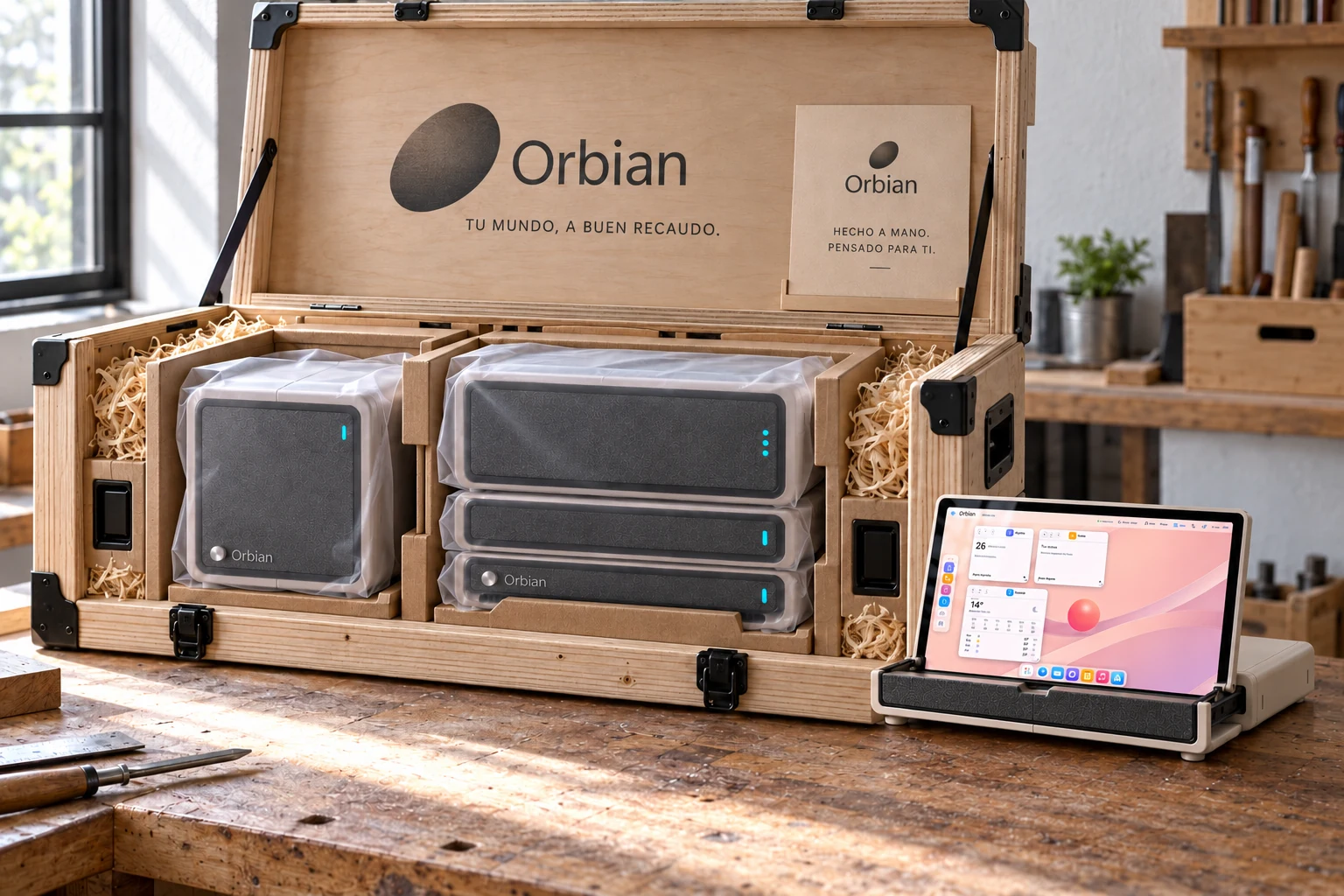
Conceptual images with a photographic finish, made to validate the design. The illustrated interior doesn’t replace the inventory and build of each configuration.
Start from a base and tune each computer, the AI, the screen, the data, the network and the services. Every field explains what it is for, and the summary updates live. We design the modules around your selection and assemble them by hand with Orbian OS.
Selection for assessment. Before finalising the machine we check BIOS, memory kits and QVL, connectivity, dimensions, power, temperatures and supply.
| Platforms | Intel NUC 13 Pro (Core i5-1340P or i7-1360P) or ASUS NUC 15 Pro (Core Ultra 5 225H or Ultra 7 255H) |
|---|---|
| Memory per server | 16 to 64 GB DDR4 on NUC 13; up to 96 GB DDR5 on NUC 15 |
| SSD per server | 500 GB to 4 TB · Samsung 990 PRO or WD Black SN850X |
| Built-in networking | 2.5 GbE on NUC 15 |
| Processor | AMD Ryzen 7 9700X or Ryzen 9 9950X |
|---|---|
| Board | ASUS ProArt X870E-Creator WiFi or X670E-Creator WiFi (AM5, shortlisted) |
| Memory | 64 to 192 GB DDR5 |
| GPU | NVIDIA RTX PRO 4000 Blackwell (24 GB), RTX PRO 5000 Blackwell (48 GB) or RTX PRO 6000 Blackwell Max-Q (96 GB) |
| SSD | 1 to 8 TB NVMe |
| Power supply | 850, 1,000 or 1,200 W |
| Cooling | Noctua NH-D15, be quiet! Dark Rock Pro 5 or a 360 mm AIO |
| Data module | 2 mirrored NVMe drives or 4 in RAID 10, 2 or 4 TB each |
|---|---|
| LUNAR backup | External drive of 4, 8, 16 or 24 TB; 7, 30 or 90 days of history |
| 3-2-1 backups | Another drive, an external drive and, once you turn it on, off-site |
| Removable screen | 13 or 17 inches, AMOLED proposed, optional touch |
|---|---|
| System network | 2.5 GbE, or 10 GbE with compatible adapters |
| Power | Distribution and protection; optional UPS from 1,000 to 2,200 VA |
| Software | Orbian OS preinstalled on every computer |
|---|---|
| Finish | Pearl white with a grey fabric front (graphite to be confirmed) |
| Cluster dimensions | 400 × 285 × 210 mm (prototype reference) |
| Weight | To be confirmed |
| Noise, power draw and temperature | To be confirmed after testing |
| Price | Not published: each configuration is quoted individually |
Candidate components for the proposal, reviewed on 27 October 2026. The hardware is subject to validation: compatibility, power, temperature and supply are checked before each machine is finalised. Anything not yet measured is shown as “to be confirmed”.
Ongoing support, data migration and on-site installation are chosen in the configurator and assessed in the quote. Third-party cloud services are not included.
| Server HomeYou are here | Server BusinessQuote on request | |
|---|---|---|
| Who it’s for | Homes, families and people who code | Offices, firms and teams |
| Form factor | Stackable desktop modules · 400 × 285 × 210 mm cluster | 19" rack of 12U, 24U or 42U · 24U reference |
| Compute | Up to 3 NUC servers · up to 96 GB per server | Up to 6 AMD EPYC or Intel Xeon nodes · up to 512 GB ECC per node |
| Local AI | FUEGO · 24, 48 or 96 GB of graphics memory | 0 to 2 modules · 24, 48 or 96 GB per module |
| Data | Mirrored NVMe or RAID 10 | 4 to 12 drives of up to 24 TB · RAID 10 or RAIDZ2 |
| Backups | LUNAR, offline backup of 4 to 24 TB | Second machine, offline backup or remote location |
| Setup | Guided from the browser; remote or on-site optional | Installation and rollout included in the price |
| Software | Orbian OS preinstalled, licence included | Orbian OS, accounts and permissions per person |
| View page → |
No. It connects to your router with a cable and you set it up from your phone or browser, step by step, in Spanish for now. If you prefer, you can choose remote or on-site setup.
Your files are stored on the server. If you use features that need the internet (for example, a cloud AI model through OpenRouter), Orbian tells you first and you can turn them off.
With FUEGO and the validated local models (Orbi 1.1 on Gemma 4), what’s processed locally doesn’t need the cloud. External accounts, cloud models and access from outside your home do need a connection.
Yes, with FUEGO and the Forja app. It trains your Orbi models on your server, overnight and only with synthetic data (never with your conversations), tests them against the one you already use and only promotes them when you click. If something gets worse, you go back to the previous version. Your Orbi models are based on Gemma 4 and run locally.
Orbian OS comes preinstalled on every computer in the system, with its licence and Orbian’s software. You’ll have the licence and update terms in writing before you reserve.
No: the GPU is in FUEGO, a separate computer with an NVIDIA RTX PRO of your choice (24, 48 or 96 GB). The three-server case holds mini PCs with their own power supplies and cooling. You can configure both or just one.
No. Each server has its own memory and the RAM of several doesn’t form a single one. FUEGO’s VRAM doesn’t add to system RAM either.
There’s no published price: each configuration is assessed. Request a quote with yours and you’ll see the final price, VAT included, before you reserve or pay anything.
New products will carry the 3-year legal guarantee that Spanish law gives consumers. It’s your right, not an extra.
Not yet: reservations will open later. You can already plan your configuration, save it, download it and request a quote with it.
Plan it here and request a quote with it. Or book a demo and we’ll show you Orbian working before you decide anything.

Automated guide
Popular topics
This chat does not send or store your messages. Please do not include personal data.