Orbian
The operating system, security, Orbi and the official apps. Whatever Orbian builds, your company gets.
Orbian doesn’t sell apps: it gives every company the system to have its own. Applications, data, AI and workstations on your premises, on a rented dedicated server or a combination of both. And every employee gets their own space.
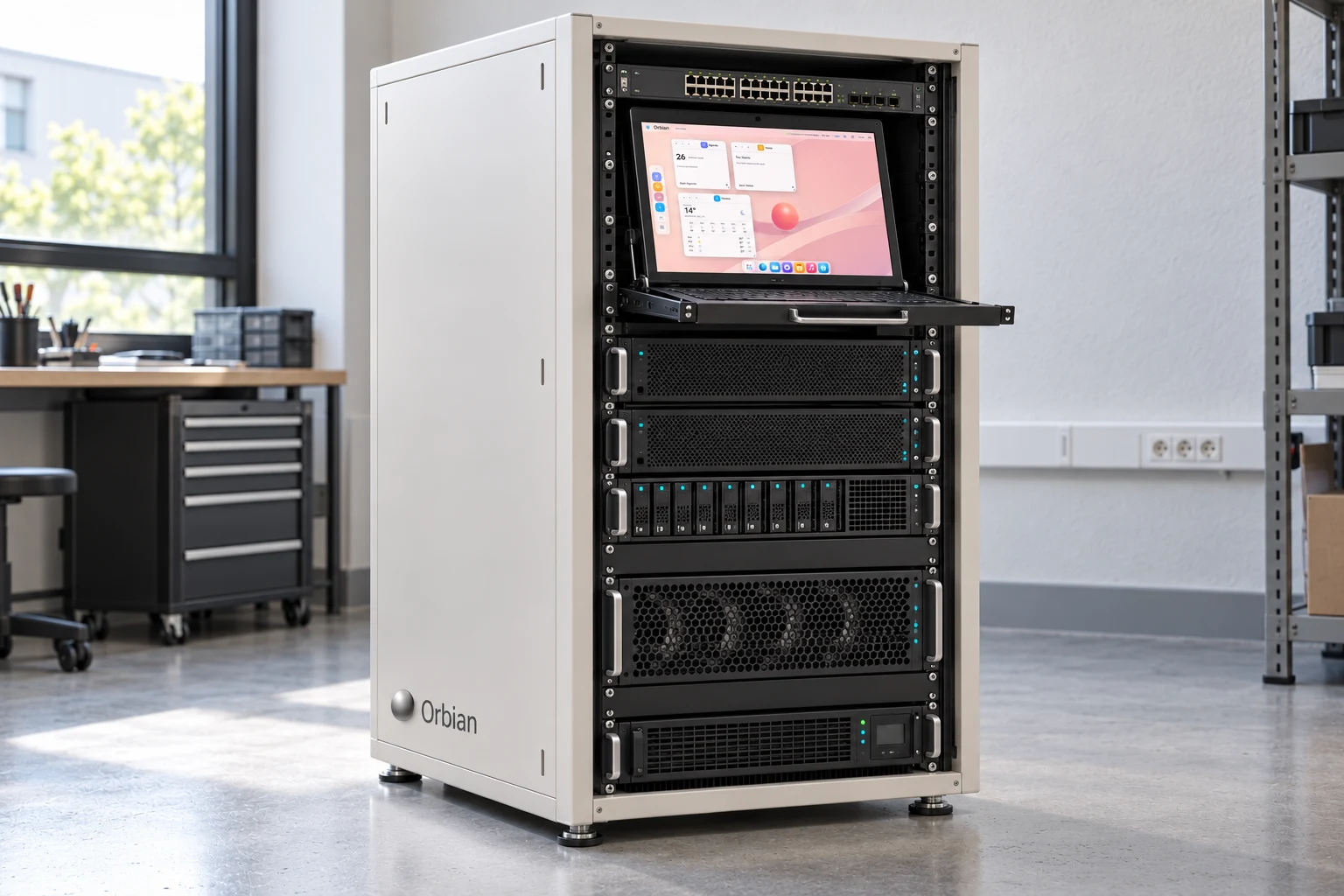
Solutions and hardware proposal in development. Concept image. The service, components and terms are agreed before you sign up.
Today a large company pays for twenty generic applications and bends the way it works around them, with people copying data from one to another. With Orbian, the apps live inside a single system, with the data on-premises or on your server, and Orbi does the repetitive work: you don’t open programs, you ask. People approve what matters.
The operating system, security, Orbi and the official apps. Whatever Orbian builds, your company gets.
What your company does inside Orbian belongs to it and doesn’t leave it. The administrator decides which apps are used.
Their version of each app, their automations and what’s theirs, within the company’s rules.
Which applications you use, who uses them and what for.
The work around them: copying data, reports, approvals, notifications.
Start with what weighs the most and the tasks that repeat the most.
Your company’s apps, connected to your data and adapted for each department.
Orbi and the agents take on the repetitive work; sending, paying or deleting still waits for a person.
With what you’ve learned, the next app and the next department.
Every project starts with an inventory and a pilot. We don’t promise savings or timelines before we know your case.
One subscription fewer. And another. And another.
Fourteen kinds of tool that people pay for separately today, each with its own account and its own invoice. In Orbian 2.0 they come built in, with Orbi working across all of them and anything important waiting for your click.
Separately, these fourteen categories cost from €162 to €294 per person per month. In Orbian, everything is included.
Separately: from €162 to €294 per person per month.
All included
Fourteen subscriptions inside a single system, with your data at your home or office.
| Category | In Orbian | Separately | Orbian |
|---|---|---|---|
| CRM and sales pipeline | CRM | €14–35 /month | Included |
| Shared inbox with AI | €23–27 /month | Included | |
| PDF signing and editing | PDF & Sign | €24 /month · incl. VAT | Included |
| Forms and surveys | Data | €20–31 /month | Included |
| Process automation | Flows | €18–20 /month | Included |
| Video calls with minutes | MeetVoice | €13 /month | Included |
| Social media management | Campaigns | €4.5–90 /month | Included |
| Cloud office suite | WriterCalcPresentations | €6.8 /month | Included |
| Cloud storage | Files | €10 /month | Included |
| Online bookings and appointments | AppointmentsLabs | €9 /month | Included |
| Voice transcription and dictation | Voice | €7.5–11 /month | Included |
| Team messaging | Team ChatLabs | €6.8 /month | Included |
| Task and project management | Tasks | €4.5–9.9 /month | Included |
| Password manager | KeysLabs | €1.5 /month | Included |
| Total per person per month | €162 to €294 | All included | |
Ranges based on the public prices of common tools in each category, checked on 15/11/2026, excluding tax unless stated; they may change. An indicative comparison: your quote covers your own case.
For each category we take the cheapest plan that covers that function across several common tools, according to their public pricing pages. The range runs from the cheapest to the most expensive; the total adds up the ends of every row. Prices in dollars are converted to euros at the European Central Bank reference rate of 13 November 2026 (€1 = $1.1052). Some plans are charged per account or per channel: we count them for one person. Rows are shown rounded.
ECB reference rate: www.ecb.europa.eu/stats/eurofxref/eurofxref-daily.xml · 13 November 2026
Not available yet: this is the direction, not something you can sign up for today.
Describe the app your company needs and have Orbi build it inside the system, with the same guarantees as the official ones.
Study the system your company already uses and reproduce it in Orbian.
A section of the Store with your company’s own apps, visible only to its employees.
Orbian is tested first in the companies of its own group, with their real processes.
Accounts, Orbian apps, files and permissions by person or team. Selected and configured for the processes you want to cover.
Virtual machines you reach from the computers you already have. Resources, guest system and remote access chosen for your applications.
Models and workflows with clear permissions. You decide what runs in the contracted environment and which outside services you can connect.
Inventory, data transition, backups, recovery and maintenance, with a scope set out in the proposal.
Virtual machines and data are hosted on your premises. Requires space, power, connectivity and local operation.
The computing physically sits in the provider’s data centre. Your office connects over an encrypted link; the data doesn’t physically stay in the office.
Splits workloads between the office and remote infrastructure, with defined networks and permissions. Dependencies and data paths are documented.
A rented dedicated server is not a physically local server. Nor does every VPS allow nested virtualisation, GPUs or the same isolation guarantees. The provider, region, administrative access and resources are reviewed in each proposal.
We propose virtual machines with resources and permissions per user. Orbian can provide the app space and the AI; any native applications you need are assessed with the right guest system.
Latency, video, audio, printing, USB, GPU and licensing depend on the technology chosen and are tested with your applications. We don’t promise universal compatibility or an experience identical to a physical machine.
MFA wherever the integration allows it, individual accounts, roles and documented onboarding and offboarding.
Gateway or VPN with access control. We don’t propose exposing remote desktop directly to the internet.
Machines and networks by function, firewall rules and least privilege for each project.
Independent destination, retention and recovery drills. Snapshots are no substitute for a backup strategy.
Updates, inventory and change review. Responsibilities and maintenance windows in writing.
Operational logs and alerts with agreed scope and retention, avoiding collecting unnecessary content.
Security depends on design, operation and use. No absolute guarantee of security or regulatory compliance is offered.
Prepare and download a requirements sheet. It isn’t an offer or a guaranteed capacity: it’s a starting point to assess infrastructure, connectivity and services.
Users, concurrency, applications, peripherals and the data to migrate.
Architecture, provider if there is one, performance, connectivity and recovery, in a pilot.
Migration plan, documentation, training and agreed maintenance terms.

Automated guide
Popular topics
This chat does not send or store your messages. Please do not include personal data.