Looks it up for you
Checks without touching anything.
- Look up a setting
- Explain app permissions
- Tell you your AI usage and cost
- Explain what an update brings and its risk
A desktop made to measure: your whole system in one place.
How it looks
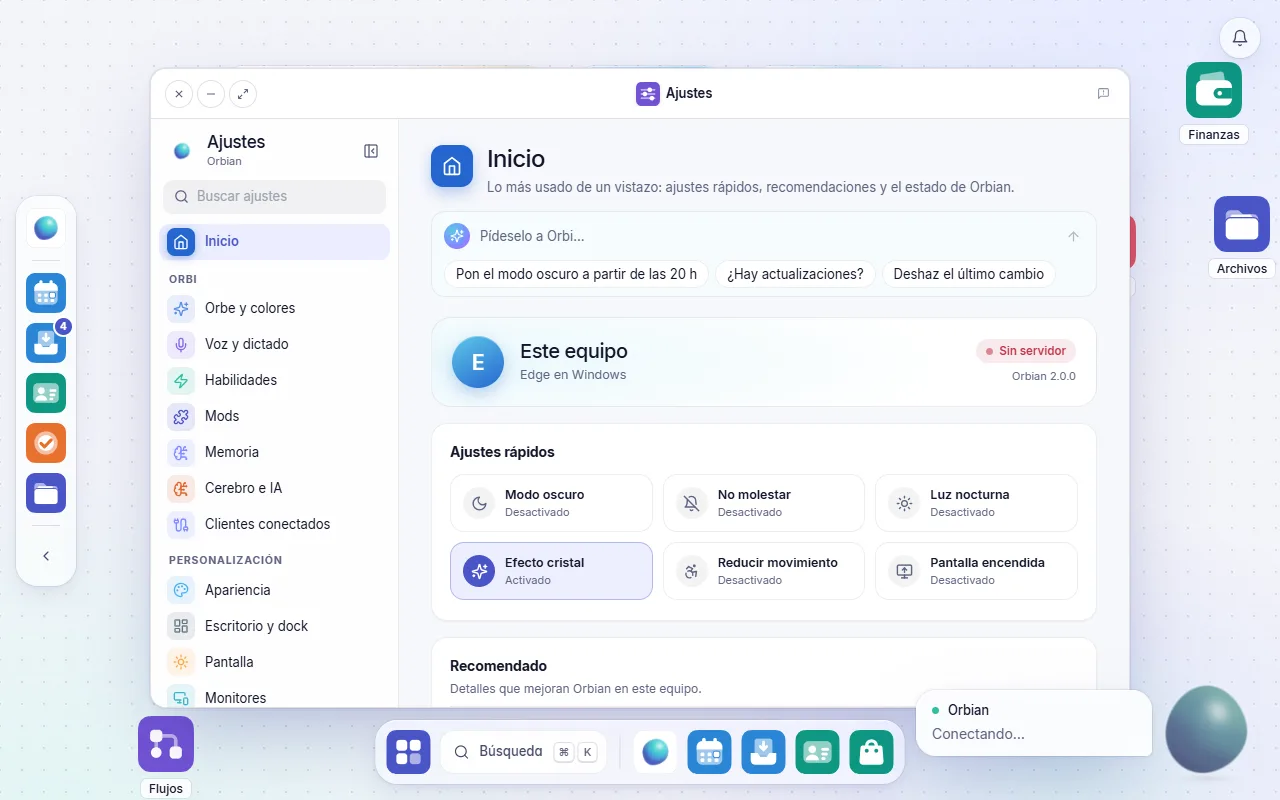
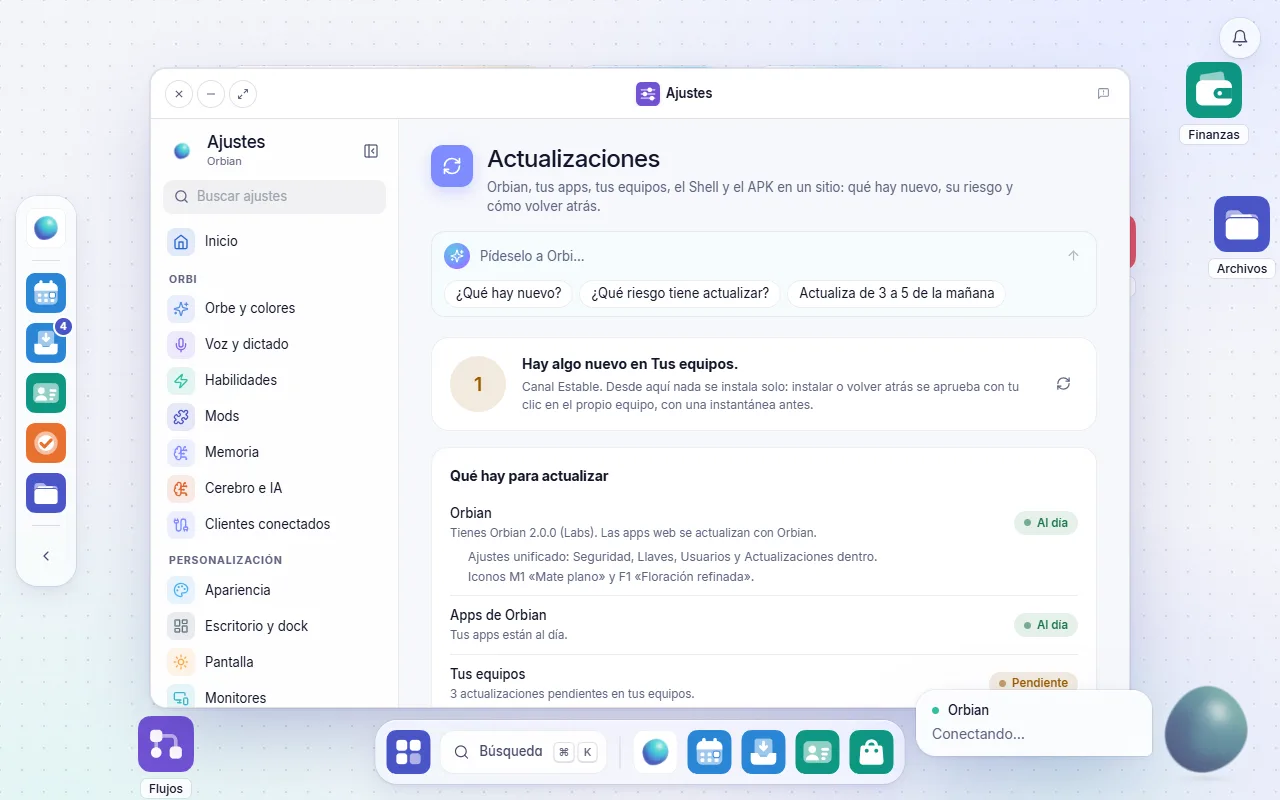
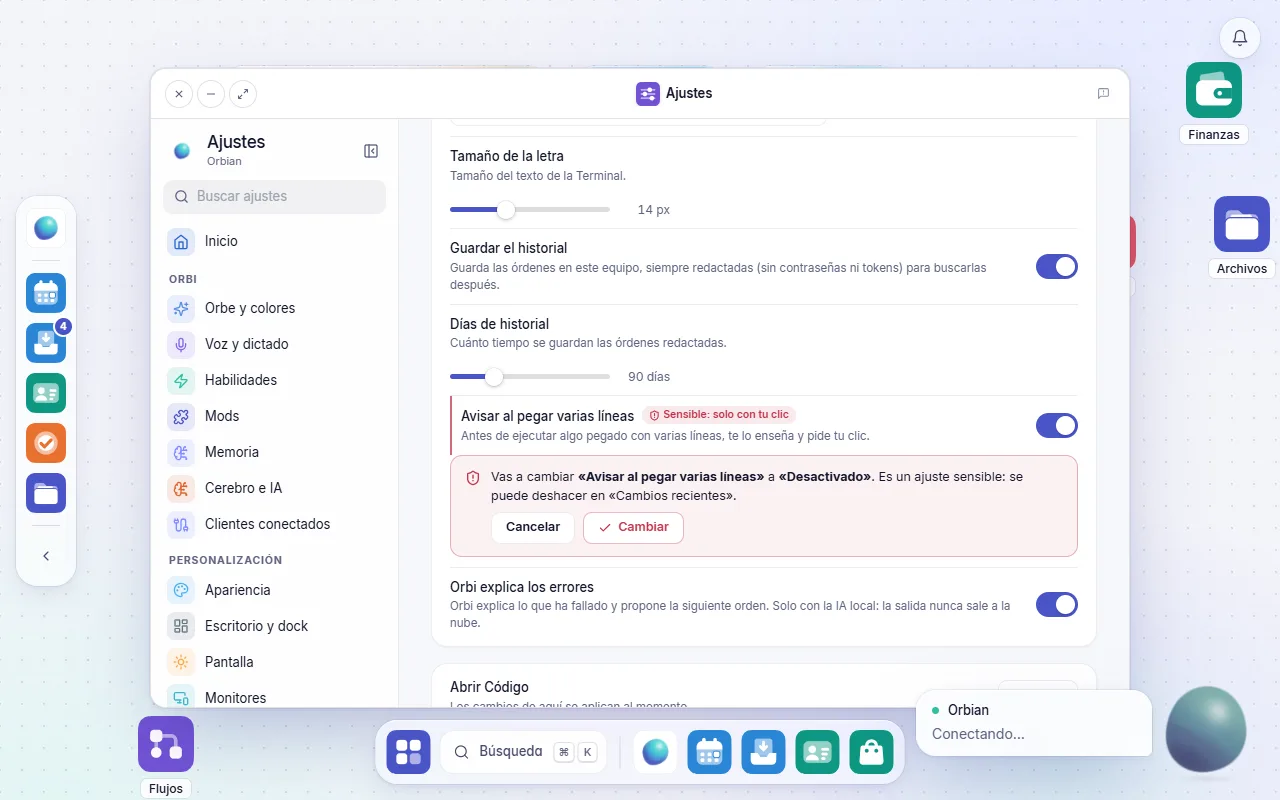
What you can do
A search for every setting, and “Ask Orbi”.
Security, Keys, Users and Updates inside.
Anything sensitive marked in red, with confirmation and undo.
Accessibility: larger text, colour-blind filters, reduced motion and hand-gesture control.
Each app’s permissions and your AI usage and cost.
What Orbi does here
Orbi, the AI in Orbian, runs this app for you. Everything it can do sits behind a gate: what it only looks at, what it prepares and what waits for your click.
Checks without touching anything.
Makes the change in plain sight; you correct it or undo it.
Just say it
Orbi is an artificial intelligence and can make mistakes. Before it sends, pays or deletes anything, it always asks you to confirm.
What else Orbi doesNew in Orbian 2.0
Unified Settings: Security (Shield and your devices’ health), Keys, Users and Updates inside; a single registry with search for every setting, “Ask Orbi” and anything sensitive marked in red.
Compared with Windows 11 Settings and macOS System Settings
They have more hardware options; with Settings you ask in words and anything sensitive is marked in red.
Privacy
Sensitive settings (password, PIN, second factor) can only be changed by you: Orbi never touches them.
Related apps
Tell us what you would use it for and we’ll show you how it fits into your day, with no commitment.

Automated guide
Popular topics
This chat does not send or store your messages. Please do not include personal data.