Looks it up for you
Checks without touching anything.
- Open and read the Terminal
- Explain the output
- Suggest a command
- Search your history
Terminal and code with Orbi, with the risk of every command in plain sight.
How it looks
What you can do
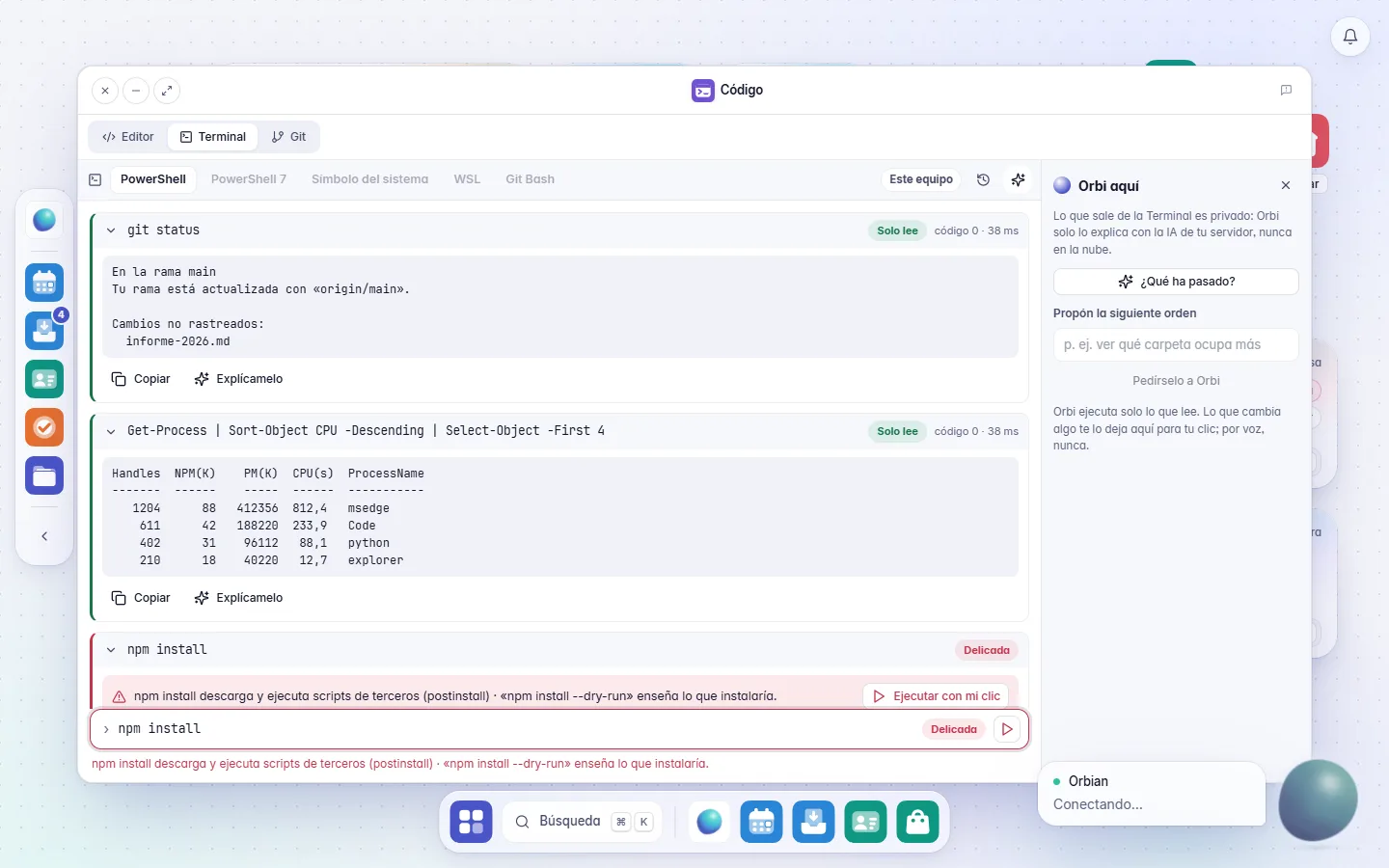
Every command shows its risk colour as you type it.
Collapsible blocks with “Explain this”.
Redacted history (no passwords or tokens), with search.
Orbi explains errors and suggests commands with private AI.
Git as a tab. On the web it asks for your second factor.
What Orbi does here
Orbi, the AI in Orbian, runs this app for you. Everything it can do sits behind a gate: what it only looks at, what it prepares and what waits for your click.
Checks without touching anything.
Never by voice, never on its own.
Just say it
Orbi is an artificial intelligence and can make mistakes. Before it sends, pays or deletes anything, it always asks you to confirm.
What else Orbi doesNew in Orbian 2.0
A new Terminal: every command with its risk colour as you type, collapsible blocks, redacted and searchable history, Orbi explaining with private AI, and Git as a tab. On the web it asks for your second factor.
Compared with Windows Terminal with Copilot, Warp and iTerm2
They are powerful terminals; Code shows you the risk of every command and the output never goes to the cloud.
Privacy
Terminal output is private: Orbi only explains it with your server’s AI, never in the cloud. History is stored redacted.
Orbi only runs what reads; anything that changes something is left for your click, and never by voice. From the web, a second factor is required.
Related apps
Tell us what you would use it for and we’ll show you how it fits into your day, with no commitment.

Automated guide
Popular topics
This chat does not send or store your messages. Please do not include personal data.